Instant Access to 350+ Free Channels
ONN Roku TV puts an entire universe of free entertainment at your fingertips the moment you plug it in. Powered by Roku — America’s #1 streaming platform — every ONN Roku TV model ships with built-in access to over 350 free live TV channels, including news, sports, movies, and lifestyle programming. No cable subscription required, no hidden fees, no contracts. Alongside the free tier, your ONN Roku TV gives you seamless one-click access to every major streaming service — Netflix, Hulu, Disney+, Prime Video, HBO Max, Peacock, and dozens more. Whether you’re a cord-cutter making the switch or simply looking to expand your entertainment options, ONN Roku TV delivers more content out of the box than most televisions at any price point.
Universal Voice Control & Smart Home Integration
ONN Roku TV works the way your home already works. Every ONN Roku TV model is fully compatible with Amazon Alexa, Google Assistant, and Apple HomeKit, giving you hands-free control over your entire viewing experience. Ask Alexa to switch to ESPN, tell Google to launch Netflix, or use Siri to adjust the volume — your ONN Roku TV responds instantly without you ever touching the remote. The free Roku mobile app extends that control even further, turning your smartphone into a full-featured remote with voice search, private listening, and channel shortcuts. For smart home users who want a television that integrates seamlessly into their existing ecosystem, ONN Roku TV is the effortless choice.
ONN Roku TV proves that exceptional picture quality doesn’t require an exceptional price tag. Available in screen sizes from 24 inches to 65 inches, ONN Roku TV models offer HD 720p, Full HD 1080p, and 4K HDR10+ resolution options — all featuring a smooth 60Hz refresh rate and vibrant LED display technology calibrated for accurate color reproduction. Every ONN Roku TV purchase also includes a free wall mount, saving you an additional expense while giving your space a clean, modern look. Whether you’re outfitting a dorm room with the compact 24-inch model or building a home theater around the 65-inch 4K display, ONN Roku TV delivers picture performance that consistently outpunches its price.
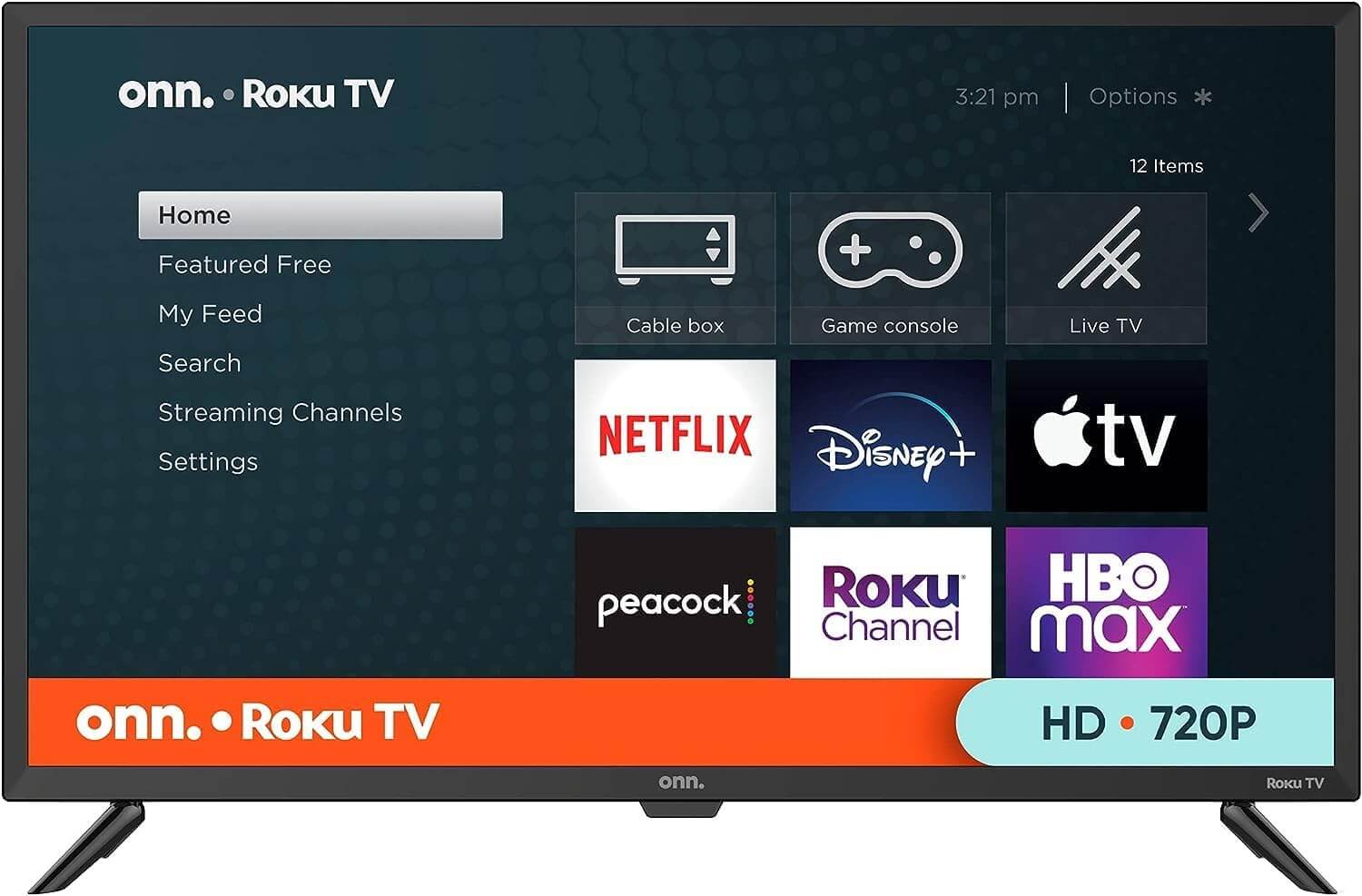
ONN TV 24-Inch
Class HD 720p Smart TV + Free Wall Mount with Wi-Fi Connectivity and Mobile App | Flat Screen TV | Compatible with Home Kit | Alexa and Google Assistant (Renewed)
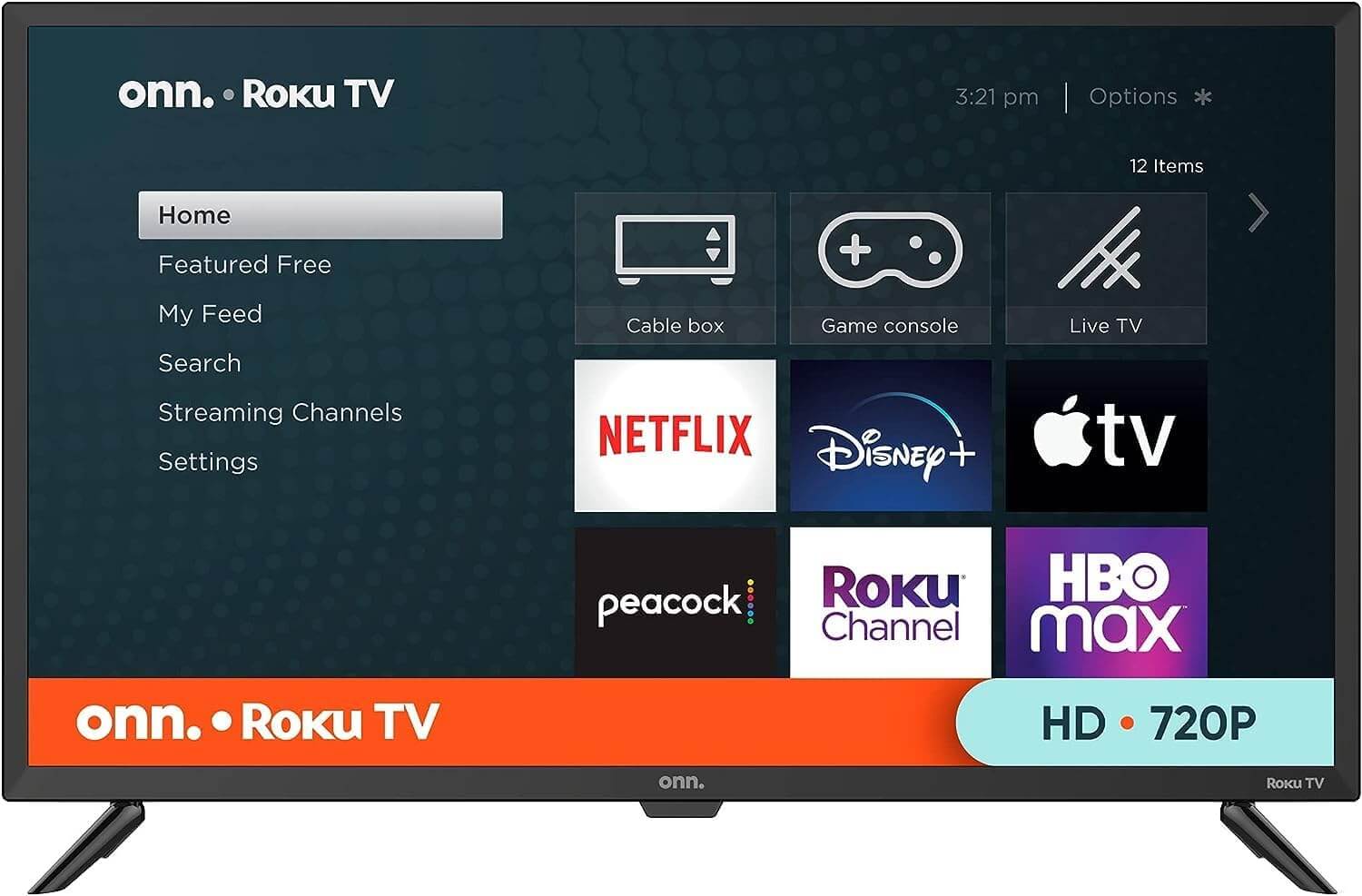
ONN TV 32-inch
Roku Smart TV LED + Free Wall Mount with Wi-Fi Connectivity and Mobile App | Flat Screen TV Compatible with Apple Home Kit | Alexa and Google Assistant (Renewed)
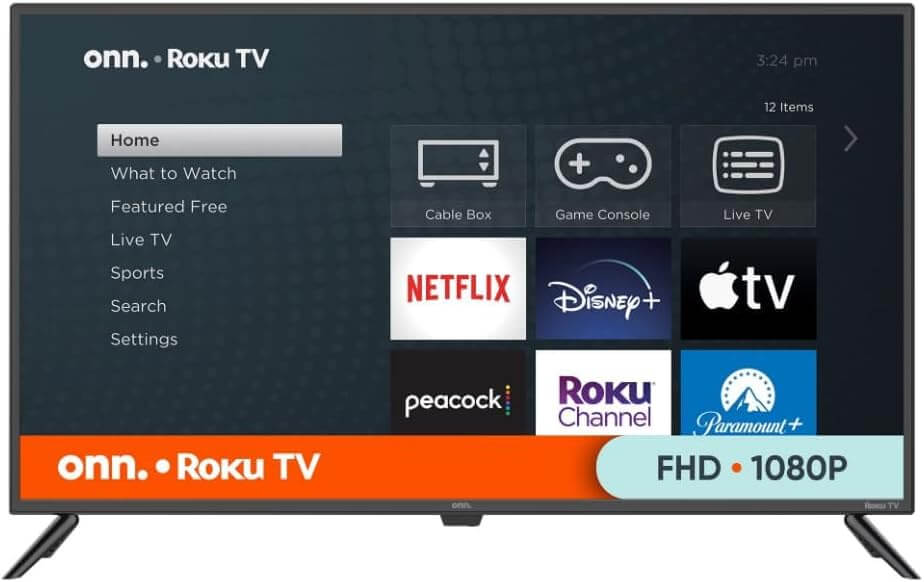
ONN TV 43-Inch
Class 4K LED Smart TV + Free Wall Mount with Wi-Fi Connectivity and Mobile App | Flat Screen TV | Compatible with Apple Home Kit | Alexa (Renewed)
ONN TV 65-Inch
Class 4k HDR10+ Smart TV + Free Wall Mount with Wi-Fi Connectivity and Mobile App | Flat Screen TV | Compatible with Home Kit | Alexa and Google Assistant (Renewed)
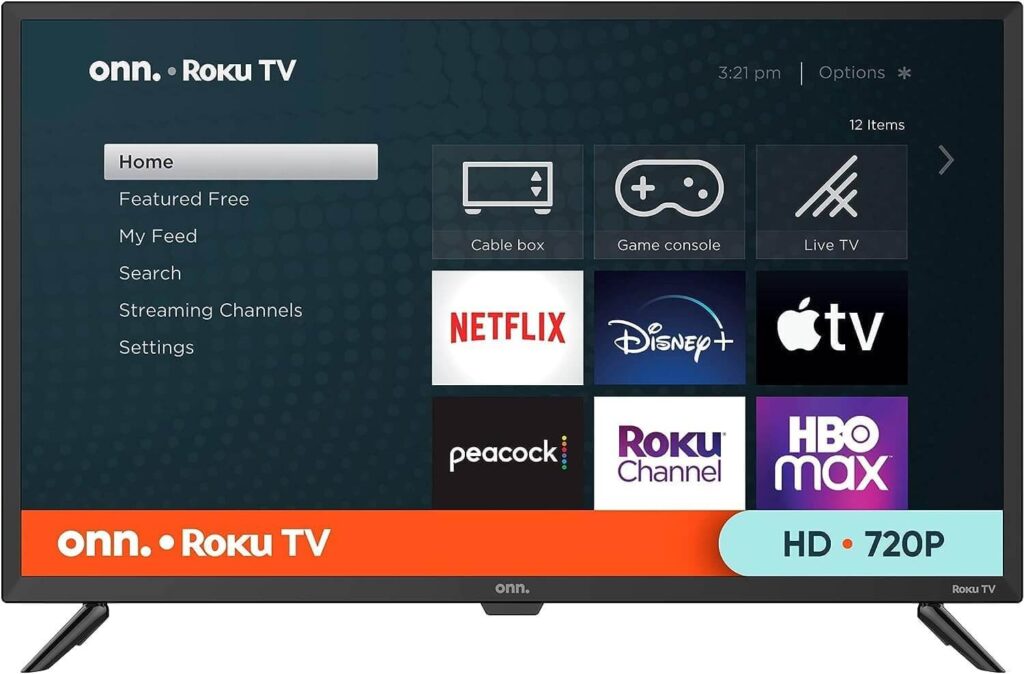
The Smart Buyer’s Complete Guide to Affordable Roku-Powered Televisions
Everything You Need to Know Before You Buy, Set Up, and Stream
The landscape of home entertainment has changed more in the last five years than in the previous twenty. Streaming services have replaced cable bundles. Voice assistants have replaced remote controls. And budget-friendly smart televisions have replaced the idea that picture quality costs a fortune. At the center of this shift sits a product that has quietly become one of America’s most popular television choices — the ONN Roku TV.
But this guide isn’t just about a single product. It’s about understanding the entire ecosystem that surrounds it: the platform it runs on, the content it unlocks, the features that make it stand out, and the practical steps that help you get the most from it every single day. Whether you’re a first-time buyer, a seasoned cord-cutter, or someone helping a family member set up their living room, this is the resource you need.
Part One: Understanding the Ecosystem
What Roku Actually Is — And Why It Matters
Before diving into the hardware itself, it’s worth spending a moment on the software that powers it. Roku is an operating system for televisions, not a brand of television. Founded in 2002 and responsible for launching Netflix’s first streaming device in 2008, Roku has grown into the most widely used smart TV platform in the United States — ahead of Samsung’s Tizen, LG’s webOS, and Google TV combined.
What makes Roku so dominant? Three things: simplicity, neutrality, and reach.
Simplicity is built into every layer of the Roku experience. The home screen is a grid of app tiles. The remote has fewer buttons than almost any competing device. The setup process takes less than ten minutes. There’s no learning curve, no buried settings menu, no bloated manufacturer interface cluttering up the experience. You turn it on, connect to Wi-Fi, and start watching.
Neutrality is Roku’s secret weapon. Unlike Samsung’s smart TV platform, which promotes Samsung’s own content deals, or Amazon’s Fire TV, which steers you toward Prime Video, Roku doesn’t play favorites. Every streaming service — Netflix, Hulu, Disney+, HBO Max, Apple TV+, and hundreds of others — is presented equally on the home screen. Roku makes money from advertising and content deals, not from pushing you toward a specific subscription. That independence benefits the viewer every time.
Reach is the result of both. With over 80 million active accounts and partnerships with nearly every major streaming provider on earth, the Roku platform gives users access to more content than any single subscription service could ever provide. When a television runs on Roku, it inherits all of that infrastructure instantly.
This is exactly what Walmart’s private-label television brand, Onn, chose when it built its smart TV lineup. The decision to partner with Roku rather than developing a proprietary interface was one of the smartest moves the brand ever made — and it’s a primary reason why the ONN Roku TV lineup has resonated so strongly with American consumers.
The Onn Brand: Walmart’s Best-Kept Secret
Onn is Walmart’s in-house electronics label, covering everything from phone cases and cables to tablets, streaming sticks, and full-sized televisions. Within the smart TV category, the brand has made a name for itself by offering specifications that routinely outperform what the price tag suggests.
The philosophy behind Onn electronics is straightforward: strip away the marketing overhead, eliminate the retail middleman markup, and deliver hardware that meets the real needs of everyday American households. No celebrity endorsements, no flashy packaging, no inflated MSRP designed to be “discounted.” Just a television with solid internals, a reliable software platform, and a price that doesn’t require a second thought.
The ONN Roku TV lineup currently spans four primary screen sizes — 24 inches, 32 inches, 43 inches, and 65 inches — covering the full range of residential use cases from compact bedroom sets to living room centerpieces. Each model in the range runs native Roku software, ships with a free wall mount, and includes compatibility with Amazon Alexa, Google Assistant, and Apple HomeKit. At every size, the value proposition is difficult to argue with.
Part Two: The Full Feature Breakdown
Display Technology and Picture Quality
The display is the heart of any television purchase, and this is where informed buyers need to look beyond the marketing language and understand what they’re actually getting.
Resolution across the Onn lineup scales logically with screen size. The 24-inch model delivers HD 720p — entirely appropriate for close-range viewing in smaller spaces. The 32-inch steps up to Full HD 1080p, which remains the sweet spot for most residential streaming content. The 43-inch and 65-inch models both support 4K Ultra HD, with the larger model adding HDR10+ for dynamic, scene-by-scene brightness and contrast optimization.
LED panel technology is used across the entire range, which is standard for televisions at this price point. LED displays offer consistent brightness, good color accuracy within the sRGB color space, and excellent longevity compared to older LCD backlight technologies. While they don’t match the infinite contrast ratios of OLED panels, LED displays at this tier consistently outperform their price point — particularly in well-lit living rooms where OLED’s strengths are less noticeable.
Refresh rate is uniform at 60Hz across all models. This is native 60Hz, not the interpolated or “effective” refresh rate that some manufacturers advertise with misleading names. For streaming, gaming at standard frame rates, and sports viewing, 60Hz is entirely sufficient. The motion handling on the ONN Roku TV lineup is clean and artifact-free under normal viewing conditions.
HDR support deserves special attention on the 4K models. HDR10+ — the format supported by the larger Onn televisions — is a significant step beyond basic HDR10. Where HDR10 applies a single set of brightness and contrast metadata to an entire film, HDR10+ applies dynamic metadata frame by frame, allowing the television to optimize each scene individually. The result is more natural highlights, better shadow detail, and overall image depth that static HDR formats simply can’t replicate.
The Roku Interface: A Closer Look
Living with a smart television means living with its software every day. This is why the underlying platform matters as much as the hardware specifications — possibly more.
The Roku home screen is built around a vertically scrolling grid of app channels. Your most-used services appear at the top; less frequently accessed apps sit below. The interface is customizable, allowing you to rearrange channels, hide ones you never use, and add new ones from the Roku Channel Store in seconds. There’s no app drawer to dig through, no hidden settings panels, no confusing sub-menus.
The Roku Channel Store currently lists over 6,000 channels, ranging from major subscription services to niche free apps covering topics from woodworking tutorials to foreign-language cinema. Search across the entire store works intelligently — type in a movie title, and Roku shows you every service that carries it alongside the price on each platform. This cross-platform search is something most smart TV operating systems still haven’t managed to replicate as cleanly.
The Roku Channel — Roku’s own free content hub — deserves mention separately. It offers thousands of free on-demand movies and TV episodes alongside dozens of free live news, entertainment, and sports streams. For users who want meaningful free content without any subscription, The Roku Channel alone justifies the platform choice.
The Roku mobile app extends the software experience beyond the television itself. Available for iOS and Android, the app functions as a full remote replacement with added capabilities: voice search, private listening through your phone’s headphone jack or Bluetooth headphones, and a keyboard for easier text input. For anyone who has fumbled with an on-screen keyboard trying to type a streaming service password, the mobile app is a genuine quality-of-life improvement.
Voice Control and Smart Home Integration
Modern televisions are increasingly nodes within larger smart home ecosystems, and the ONN Roku TV lineup handles this transition well.
Amazon Alexa integration allows users with Echo devices to control their television entirely by voice. “Alexa, turn on the TV,” “Alexa, switch to ESPN,” and “Alexa, set volume to thirty” all work reliably. For households already invested in the Amazon ecosystem — smart lights, thermostats, security cameras — adding voice control over the television requires no new hardware at all.
Google Assistant works similarly through Google Home devices and compatible Android smartphones. The additional advantage of Google Assistant is Chromecast-style casting from mobile devices, allowing users to throw content from their phone or tablet directly onto the television screen. This is particularly useful for sharing photos, YouTube videos, or browser tabs during casual social situations.
Apple HomeKit support broadens the appeal of the Onn lineup to households invested in the Apple ecosystem. iPhone and iPad users can add their television to the Home app, control it through Siri voice commands, include it in Home automations, and operate it from Control Center. For Apple-centric households, this level of integration was previously limited to significantly more expensive television brands.
Connectivity: Ports, Wireless, and Audio
A television’s port configuration determines how well it plays with the rest of your equipment — and this is an area where the Onn lineup performs well relative to its price point.
Every model in the range includes three HDMI ports, allowing simultaneous connection of a gaming console, a soundbar, and a cable or satellite box without swapping cables. One HDMI port on select models supports ARC (Audio Return Channel), simplifying soundbar connection by eliminating the need for a separate optical cable.
USB connectivity on each model allows direct media playback from flash drives — useful for viewing personal photo libraries, home videos, or locally stored media files. The optical audio output standard across the lineup enables connection to any soundbar or AV receiver that supports digital audio input.
Dual-band Wi-Fi (2.4GHz and 5GHz) is built into every model, with 5GHz connectivity providing faster, more interference-resistant wireless streaming for the 4K models where bandwidth demand is higher. For users who prefer wired connections, a standard Ethernet port is available on the larger models.
Bluetooth support enables wireless pairing of headphones, keyboards, and game controllers — a feature that was once reserved for premium television tiers but is now standard across the entire Onn lineup.
Part Three: Real-World Use Cases
The College Student’s Setup
For a student furnishing a dorm room or first apartment, the 24-inch model represents one of the best possible purchases in the entire consumer electronics market. It’s lightweight enough to move between locations, compact enough to fit on any desk or dresser, and fully featured enough to handle every streaming service a college student is likely to use.
The included wall mount means no floor stand is needed — a meaningful advantage in tight dorm spaces where every square foot matters. The Roku platform’s cross-service search means finding a specific show takes seconds rather than minutes of app-switching. And the mobile app eliminates the frustration of losing the remote in a messy room.
At the price point of the 24-inch model, the total cost of ownership — including a streaming service subscription or two — remains dramatically lower than a cable package for the same period. For a student on a budget making smart financial decisions, this is an easy call.
The Family Living Room
The 43-inch or 65-inch 4K models serve the family living room context extremely well. Multiple HDMI ports accommodate the typical family entertainment center configuration: gaming console on one port, cable or satellite box on another, soundbar on the third. Bluetooth connects a wireless gaming controller without cables running across the room.
The Roku platform’s multiple user profile support allows different family members to maintain their own personalized home screens, watch history, and content recommendations. Parents can configure parental controls through the settings menu, restricting content ratings for children’s profiles without affecting adult viewing. The result is a television that genuinely works for everyone in the household simultaneously.
Voice control through Alexa or Google Assistant becomes particularly valuable in a family setting, where finding the remote is often an exercise in patience. A simple voice command to launch Disney+ or switch to a sports channel removes friction from the everyday viewing routine.
The Home Office Display
Beyond entertainment, the larger Onn models serve practical professional functions. With three HDMI inputs and screen mirroring support through both Android and Apple devices, a 43-inch or 65-inch display functions well as an external monitor for video conference calls, presentations, and collaborative review sessions.
The native Zoom and Microsoft Teams apps available through the Roku Channel Store — combined with a Bluetooth keyboard and webcam — transform the television into a functional video conferencing station. For home offices where a large display serves multiple purposes throughout the day, the value proposition of choosing a smart television over a commercial display becomes compelling.
The Cord-Cutter’s Command Center
The cord-cutting use case is arguably where the Roku platform shines brightest, and therefore where the ONN Roku TV lineup makes its strongest case. A household eliminating cable in favor of streaming needs a television that can handle the full complexity of the modern streaming landscape — multiple apps, multiple subscriptions, live TV services, free channels, and the constant influx of new content across all of them.
Roku handles this complexity better than any competing smart TV platform. The universal search, the free channel library, the clean interface, and the consistent performance across all apps combine to make the streaming-only lifestyle genuinely effortless. Add an over-the-air antenna through the coaxial input available on every Onn model, and you recover local broadcast channels — news, sports, and network programming — entirely for free.
The financial math is straightforward. A well-chosen combination of two or three streaming subscriptions, supplemented by free channels through The Roku Channel and over-the-air broadcast, delivers more content than any cable package at a fraction of the monthly cost. The television that makes all of this work — the ONN Roku TV — costs less upfront than a single month of a premium cable subscription.
Part Four: Setup, Optimization, and Maintenance
First-Time Setup Step by Step
Unboxing and setting up your new television should be a straightforward experience, and with Roku’s guided setup wizard it consistently is. Here’s what to expect.
Physical setup begins with choosing between the included tabletop stand and the included wall mount. Both come in the box — a genuine differentiator in this product category. If wall mounting, use the included hardware and ensure mounting points align with standard VESA spacing for your screen size. If using the stand, attach the feet per the quick-start guide included in the box.
Power and input come next. Connect the power cable, then connect any external devices — gaming console, soundbar, cable box — to the appropriate HDMI ports. Label each input through the television’s settings menu once setup is complete for easier source switching later.
Roku setup wizard launches automatically on first boot. You’ll be prompted to select your language, connect to Wi-Fi, and either create a free Roku account or log into an existing one. The account is required for accessing the Channel Store but costs nothing. Once the wizard completes, your home screen will be populated with default channels and ready for customization.
Streaming service setup is the final step. Navigate to each streaming app from the Channel Store, install it, and log in with your existing credentials. The Roku mobile app’s keyboard feature makes entering passwords dramatically faster than the on-screen keyboard if you have it installed on your phone.
Total time from opening the box to watching your first stream: typically under fifteen minutes.
Picture Calibration for Better Image Quality
Default television settings are calibrated for showroom conditions — bright environments designed to make displays pop on a retail floor. At home, those same settings often produce an image that’s too bright, too blue, and too artificially sharpened. A few adjustments make a meaningful difference.
Brightness should be reduced from the default “Vivid” or “Dynamic” mode to “Normal” or “Movie” mode. These presets use lower backlight levels and more accurate color processing suited to typical home lighting.
Sharpness is almost always over-applied in factory settings. Reducing sharpness to zero or near-zero eliminates artificial edge enhancement that makes images look processed rather than natural.
Color temperature set to “Warm” or “Warm 2” produces more accurate white balance for most content, reducing the blue cast that “Cool” settings introduce.
Motion smoothing — sometimes labeled “Motion Enhancement” or similar — should be disabled for film content. The soap opera effect it creates, while technically reducing judder, removes the cinematic quality that filmmakers intentionally introduce through 24fps capture. For sports content, motion smoothing can be left on.
These four adjustments require no special equipment and take less than five minutes, but they can transform the picture quality of any television dramatically.
Keeping Your Television Performing Well
Smart televisions are essentially computers, and like computers they benefit from occasional maintenance.
Software updates happen automatically over Wi-Fi and require no user action. If you suspect your television is running an outdated version, navigate to Settings → System → System update and check manually. Keeping the Roku software current ensures compatibility with the latest streaming app updates and security patches.
App cache clearing resolves the majority of app performance issues — slow loading, stuttering playback, and unexpected crashes. Navigate to Settings → System → Advanced system settings → Storage → Clear cache. This frees up temporary storage without deleting your account information or preferences.
Network performance can be assessed directly through Settings → Network → Check connection. If streaming quality is consistently lower than expected, this diagnostic confirms whether the issue is with the television’s wireless connection or with your internet service provider.
Factory reset is the last resort for persistent performance issues, but it does resolve the majority of software-related problems that don’t respond to other troubleshooting. Navigate to Settings → System → Advanced system settings → Factory reset. You’ll need to repeat the initial setup wizard afterward, but the television will perform as it did on day one.
Part Five: The Broader Value Argument
Why Budget Televisions Have Never Been Better
There’s a persistent assumption in consumer electronics that price and quality correlate directly — that a $150 television is half as good as a $300 one, which is half as good as a $600 one, and so on. In the current market, this assumption is simply wrong.
The television industry has matured to the point where the fundamental technology — LED panels, streaming platforms, HDMI connectivity, Wi-Fi integration — is commoditized. The components that go into a $150 smart television today would have cost many times that amount a decade ago. Manufacturing efficiencies, supply chain maturity, and platform partnerships (like Onn’s deal with Roku) have collapsed the price-performance curve.
What premium televisions offer at higher price points is real but often marginal for most viewers: OLED panel technology for superior contrast in dark rooms, higher refresh rates for competitive gaming, more sophisticated upscaling processors, premium industrial design. For living rooms, bedrooms, kitchens, dorm rooms, offices, and waiting rooms — the vast majority of television use cases — those premiums don’t justify the price difference.
The ONN Roku TV lineup exists in the price range where quality and value intersect most favorably. It doesn’t compete with OLED flagships, and it doesn’t try to. It competes with every other LED smart television in its price tier — and in that competition, it consistently wins.
The Environmental Case for Renewed Models
Every ONN Roku TV model is also available as a professionally renewed unit — inspected, tested, and certified to perform to original specifications. Choosing a renewed television over a brand-new one has both financial and environmental dimensions worth considering.
Financially, renewed models typically cost 20 to 40 percent less than their new equivalents while offering identical performance. The savings are meaningful, particularly at the larger screen sizes.
Environmentally, extending the useful life of a manufactured product is among the most impactful consumer choices available. Television manufacturing requires significant energy and raw materials — rare earth elements for display components, petroleum-based plastics for housing, and complex logistics chains that span multiple continents. Every renewed unit that reaches a second owner displaces the manufacturing demand for a new unit. At scale, this matters.
Renewed Onn televisions come with a warranty, pass the same quality checks as new units, and are functionally indistinguishable from new in normal use. For environmentally conscious buyers who want to make a responsible purchasing decision without sacrificing performance, the renewed ONN Roku TV models represent an excellent option.
Conclusion: The Informed Buyer’s Verdict
Smart television purchasing has never been more straightforward — or more confusing. The market is saturated with options, cluttered with misleading specifications, and complicated by platform differences that most buyers don’t fully understand.
This guide has tried to cut through that complexity. The Roku platform is the best streaming operating system available for mainstream television use. Onn’s hardware delivers genuine value at every screen size in its lineup. The combination of the two — in what the market knows as the ONN Roku TV — produces a product that outperforms its price point consistently and reliably.
Whether you’re buying for yourself, for a family member, or for a commercial space, understanding what you’re getting — the platform, the features, the realistic picture quality, the streaming ecosystem — puts you in a position to make a confident, informed decision.
The best television is not the most expensive one. It’s the one that does everything you need, every day, without asking anything complicated in return. By that measure, the Roku-powered Onn lineup earns its reputation as one of the smartest buys in American consumer electronics today.
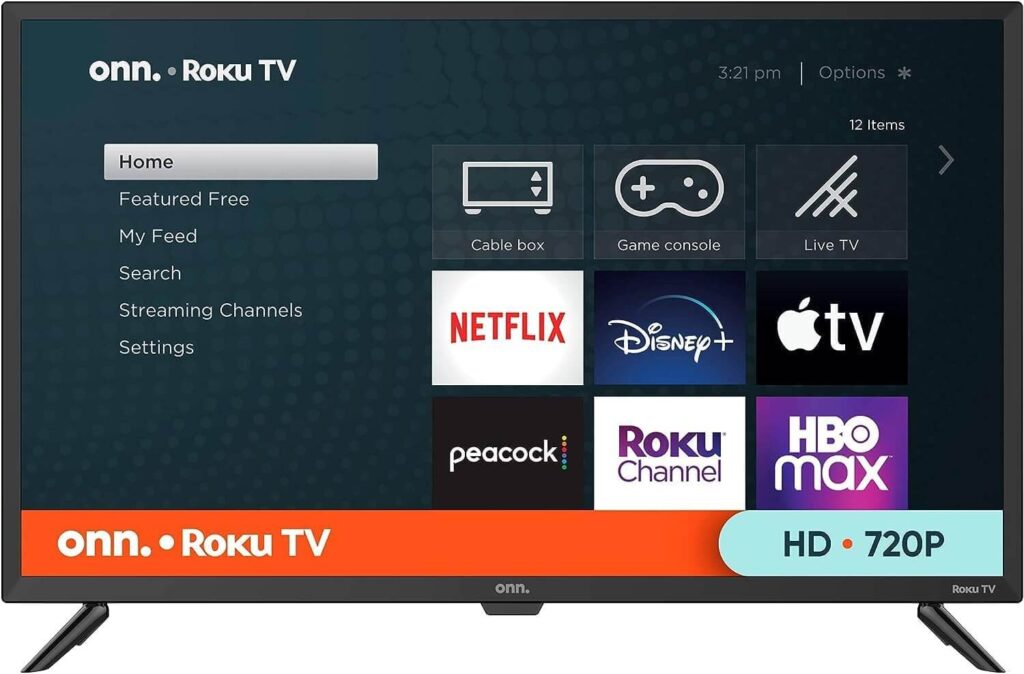
What is ONN Roku TV and how is it different from other ONN TV models?
ONN Roku TV is the version of ONN TV that runs on the Roku operating system — America’s most popular smart TV platform. Unlike ONN models that use Android TV or Google TV, ONN Roku TV uses Roku’s intuitive interface, giving you access to the Roku Channel Store, 350+ free live TV channels, and a home screen organized around your favorite streaming apps. If you prefer a clean, simple streaming experience with minimal setup, ONN Roku TV is the ideal choice.
How do I set up my ONN Roku TV for the first time?
Setting up ONN Roku TV takes less than ten minutes. Connect your ONN Roku TV to power, turn it on, and follow the on-screen Roku setup wizard. You’ll connect to your home Wi-Fi network, create or log into a free Roku account, and link your streaming service subscriptions. Once setup is complete, your ONN Roku TV home screen will be ready with all your apps organized and accessible. You can also download the free Roku mobile app to control your ONN Roku TV from your smartphone right away.
Does ONN Roku TV support 4K and HDR?
Yes — select ONN Roku TV models support 4K Ultra HD resolution with HDR10+ processing. The 43-inch and 65-inch ONN Roku TV models offer 4K capability, delivering four times the detail of standard Full HD. For 4K streaming on your ONN Roku TV, a home internet connection of at least 25 Mbps is recommended. Smaller ONN Roku TV models — including the 24-inch and 32-inch — offer HD 720p and Full HD 1080p resolution respectively, both with excellent picture quality for their screen size.
Can I use voice commands with ONN Roku TV?
Absolutely. ONN Roku TV supports voice control through the included Roku voice remote, as well as through Amazon Alexa, Google Assistant, and Apple HomeKit via compatible smart speakers or the Roku mobile app. You can use voice commands to search for content, launch apps, adjust volume, switch inputs, and even control other smart home devices — all without picking up the ONN Roku TV remote.
What streaming services are available on ONN Roku TV?
ONN Roku TV gives you access to virtually every major streaming platform through the Roku Channel Store. This includes Netflix, Hulu, Disney+, Prime Video, HBO Max, Apple TV+, Peacock, Paramount+, ESPN+, YouTube, YouTube TV, Sling TV, Pluto TV, Tubi, and hundreds more. Many of these services are free; others require a subscription. Your ONN Roku TV also includes The Roku Channel, which offers free movies, TV shows, and live news without any subscription at all.
What should I do if my ONN Roku TV won’t connect to Wi-Fi?
Start by restarting both your ONN Roku TV and your router. On your ONN Roku TV, go to Settings → Network → Set up connection and reconnect manually. Make sure your ONN Roku TV is within a good range of your router — thick walls and interference from other devices can weaken the signal. If the problem persists, try forgetting the network on your ONN Roku TV and reconnecting from scratch. For ongoing connectivity issues, consider a Wi-Fi extender or positioning your router closer to where your ONN Roku TV is installed.
Does ONN Roku TV come with a wall mount included?
Yes — every ONN Roku TV purchase includes a complimentary wall mount in the box. This is one of the standout value features of ONN Roku TV compared to competitors at the same price point, where wall mounts are typically sold separately. The included mount allows you to install your ONN Roku TV flush against any standard wall, freeing up surface space and giving your room a clean, professional look right from day one.
How do I update the software on my ONN Roku TV?
ONN Roku TV updates its software automatically whenever connected to the internet — no manual action required. If you want to check for updates manually, go to Settings → System → System update → Check now on your ONN Roku TV. Keeping your ONN Roku TV software current ensures you always have access to the latest features, security improvements, and streaming app compatibility.
Customer Reviews
I purchased this TV for my college dorm and couldn’t be happier with my decision! The setup was incredibly straightforward – I had it up and running in minutes without any technical headaches. The picture quality and color are surprisingly good for the price point, with sharp focus that makes streaming my favorite shows a pleasure.
What really impressed me was how lightweight it is, making it easy to move around during room rearrangements. The included wall mount option is a fantastic bonus that I’m definitely planning to use to save desk space. For students on a budget looking for reliable entertainment, this TV delivers excellent value. The sound quality is solid, and it connects seamlessly to all my streaming apps. Definitely got my money’s worth – highly recommend for anyone furnishing a dorm or small apartment!
This TV is absolutely wonderful! I needed a compact television for my bathroom, and this one checks every box. The picture is crystal clear and sharp, the sound quality is excellent with perfect volume levels, and it turns on instantly – no annoying warm-up time like older models.
Setting up my FIOS connection was a breeze, and the whole system was ready to go in under 10 minutes. The seller deserves major praise too – the TV arrived right on schedule, exactly as promised. The packaging was secure, and everything was in perfect condition.
Whether you’re looking for a secondary TV for a bedroom, bathroom, kitchen, or office, I can’t recommend this enough. The combination of great picture, reliable performance, and fast shipping makes this a five-star purchase all around. Thanks to the seller for such a smooth transaction!
We ordered this as an emergency replacement after accidentally dropping my daughter’s TV during a room makeover. I’m so glad we chose this one! The seller shipped it incredibly quickly, and it came with a wall mount included, which was a nice surprise.
Setting it up was easy since it connected to my existing onn account without any problems. Picture and sound quality are both fantastic – we stream everything through Disney+, Netflix, and other apps, and the viewing experience is great. The included mount seems sturdy and does the job well.
The only small issue was that the screws provided with the mount weren’t quite right for our wall type. Fortunately, my husband had appropriate hardware from a recent project, so it wasn’t a dealbreaker.
Overall, this is a great product at an excellent price point. My only thought for next time is ordering a slightly larger screen, but that’s just personal preference. I would absolutely purchase from this seller again – fast shipping and quality product make this a winning combination!